
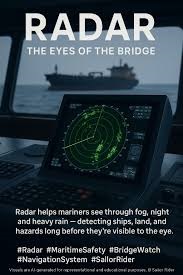
Master the systematic approach to diagnosing and solving common marine radar issues, from basic signal loss to ARPA tracking errors. Enhance bridge safety, comply with COLREGs, and prevent incidents with this 4,000-word practical guide for navigation officers.
On a clear night in the Dover Strait, the multi-purpose cargo vessel MV Rickmers Dubai collided with a towed crane barge it had completely failed to detect. The investigation revealed a cascade of system failures and human errors: an over-reliance on AIS, ineffective use of available radar systems, and a critical breakdown in situational awareness. This incident, like many others, underscores a fundamental truth on the modern bridge: the radar is your primary independent sensor, and its failure—whether partial or complete—is not a technical inconvenience but a direct threat to the safety of the vessel.
A radar screen cluttered with sea clutter, a lost ARPA track on a critical target, or an intermittent display are not mere glitches. They are holes in your safety net. In an era of increasing bridge integration and automation, the ability of the Officer of the Watch (OOW) to systematically diagnose and respond to common radar problems remains an indispensable skill. This article moves beyond theory to provide a practical, structured framework for troubleshooting. We will explore how to quickly identify issues, apply logical solutions, and implement workarounds to maintain a coherent navigational picture, ensuring compliance with COLREGS Rule 5—to maintain a proper lookout by “all available means”—no matter what the technology throws your way.
Why Proactive Radar Troubleshooting is a Core Watchkeeping Duty
The radar system is the cornerstone of the Integrated Navigation System (INS). It provides the only sensor-based, independent picture of your surroundings, detecting vessels, land, and navigational marks regardless of whether they are transmitting AIS or are visually obscured. When radar performance degrades, your ability to comply with the International Regulations for Preventing Collisions at Sea (COLREGs) is fundamentally compromised. Rule 7, which governs risk of collision, depends on early, accurate observation, for which radar is essential.
Therefore, troubleshooting is not a task for the electronics officer alone; it is an active watchkeeping function. A 2022 analysis of error management on the bridge distinguishes between reactive and proactive techniques. Reactive troubleshooting is responding to an alarm or an obvious failure. Proactive troubleshooting, however, involves the continuous monitoring of system health—checking the clarity of the picture, verifying the stability of ARPA tracks, and confirming alignment—to catch anomalies before they become critical. This proactive approach transforms the OOW from a passive user of technology into an active manager of a critical safety system. It is the practical application of the lessons from incidents like the Rickmers Dubai, where the available tools were present but not used effectively to build a complete situational picture.
Adopting a Systematic Troubleshooting Mindset
Before diving into specific problems, adopting a disciplined mental model is crucial. Effective troubleshooting follows a logical flow: Observe, Localise, Analyse, Rectify, and Verify (OLARV).
First, Observe the symptom precisely. Is the screen completely blank, or is it just cluttered? Is a single target erratic, or are all vectors unstable? Second, Localise the potential source. Is this likely a display issue, an antenna problem, or a data input error? Third, Analyse the possible causes based on your localization. Fourth, Rectify by applying the most probable and simplest solution first (e.g., checking connections, adjusting controls, restarting sub-systems). Finally, Verify that the solution has worked by observing a known target or running a system test.
This process must always be guided by the principle of “all available means.” As you troubleshoot the radar, you must immediately compensate for its reduced reliability by intensifying your visual lookout, making prudent use of AIS (while understanding its limitations), and using VHF for communication. The goal is never just to fix the radar, but to maintain an uninterrupted and accurate navigational awareness throughout the process.
Category 1: The “No Picture” or “Poor Picture” Problem
This category encompasses the most alarming failures: a blank or severely degraded radar display that fails to show clear targets.
-
The Blank Screen: A completely dark or inactive display immediately suggests a power or major system failure. The first step is to check the main power supply to the radar console and the Waveguide Safe-to-Turn interlock. If power is confirmed, the issue may lie with the display processing unit. A controlled restart of the radar system is often the most effective first action. If one radar on a dual-system setup fails, immediately switch all collision avoidance functions to the fully operational unit.
-
Excessive Clutter (Sea or Rain): A screen dominated by speckles or smears that mask real targets is a common and dangerous issue. This is not a malfunction but a control misadjustment. The anti-clutter controls (STC for rain, FTC for sea) are there to suppress these returns, but they must be used judiciously. Over-suppression can eliminate weak but critical targets like small boats or wooden hulls. The best practice is to adjust the gain first to a level where background noise just appears, then apply the minimum amount of STC/FTC needed to clear the clutter. Regularly tuning these controls as conditions change is a mark of an experienced operator.
-
Weak or Missing Echoes from Expected Targets: If a known coastline or large vessel is not appearing with its usual strength, consider several factors. The radar’s output power may be reduced (some systems have a low-power setting for pilotage). More commonly, the issue is incorrect tuning. Use the automatic tuning function, or manually tune for the brightest, crispest echo from a distant target. Also, remember the fundamentals of radar reflectivity: a smooth, sloping coastline or a vessel’s stern-quarter may present a poor aspect and return a faint echo. This is where parallel indexing becomes an invaluable backup, allowing you to anticipate the position of a coast even if its echo is faint.
Category 2: The “Unstable or Misleading ARPA Track”
Problems within the Automatic Radar Plotting Aid (ARPA) can be especially insidious, as the system may appear to be working while providing dangerously inaccurate data.
-
Erratic Vectors and Unstable Tracks: When tracked targets jump around or their vectors change wildly, the primary culprits are almost always incorrect sensor inputs. ARPA calculates true vectors using your vessel’s course (from the gyro) and speed (from the log). A faulty gyro signal or an incorrect speed input (e.g., using Speed Over Ground from GPS instead of Speed Through Water from the log for sea-stabilized plotting) will corrupt the data of every tracked target. Always verify the integrity of these inputs first. Furthermore, ARPA requires time (typically 30 seconds to a minute) to establish a stable track. Decisions should not be based on the data of a newly acquired “wobbling” target.
-
Target Swap: This is a classic and hazardous ARPA error where the system confuses two targets that are close together, transferring the track and vector of one onto the other. It frequently happens when vessels are crossing or overtaking at close range. There is no automated fix for this. It requires the OOW’s vigilance. If two tracked targets merge and then separate with swapped identities, you must manually re-acquire the correct target and treat all automatic data from the affected tracks with extreme suspicion. This error powerfully argues against over-reliance on a single tracked target’s data.
-
Loss of Track on a Valid Target: A tracked target may suddenly disappear from the ARPA list even though its raw radar echo is visible. This can occur if the echo becomes too weak (due to fading, shadow sectors, or interference) for several consecutive scans. It can also happen if the target makes a sudden, large maneuver that exceeds the ARPA’s tracking algorithms’ “gates.” The solution is manual re-acquisition. This limitation highlights why the raw radar picture must always be monitored alongside the ARPA data.
Category 3: The “Inaccurate Data” Problem
Here, the radar picture seems fine, but the information it provides—about your own ship or others—is wrong, leading to faulty decision-making.
-
Incorrect Range or Bearing: If you notice a consistent offset between a target’s charted position and its radar echo, you have a alignment or calibration error. A bearing inaccuracy is often due to a misaligned antenna or an incorrect heading input. A range inaccuracy is less common but can stem from internal timing errors. Regular performance checks using fixed, charted targets at known distances are essential to detect this. The trial maneuver function, while invaluable, will also be inaccurate if these underlying data are wrong.
-
Misleading AIS/ARPA Fusion: Modern bridges often overlay AIS targets on the radar/ARPA display. While beneficial, this can create confusion about the source of data. As noted in guidance on collision avoidance, when you select a contact, the information displayed may come from AIS, not the radar track, which may differ. AIS data is only as good as the information entered on the target vessel and can be wrong. Treat fused data with caution. A best practice is to periodically turn off the AIS overlay to view the raw radar picture and ARPA tracks alone, ensuring you are seeing the independent sensor data.
From Reactive Fixes to Proactive Prevention
While the steps above address problems as they arise, the highest standard of watchkeeping involves preventing them. This is proactive error management.
-
Pre-Voyage System Checks: Before departure, verify radar functionality. This includes a heading alignment check, a performance monitor test (using the integrated signal), and ensuring the radar is interfaced correctly with the gyro and log. Confirm that both X-band and S-band radars (if fitted) are operational, as they have complementary strengths.
-
The “Active Monitoring” Routine: Instead of waiting for alarms, institute a routine of active parameter scanning. Every 15-30 minutes, consciously check and verbalize: ARPA tracking status, CPA/TCPA alarm settings, input sources (Sea/Ground stabilization, log vs. GPS speed), and the clarity of the picture. This keeps you engaged with the system’s health.
-
Defensive Configuration: Use system settings to create safety buffers. Set CPA/TCPA alarm limits to provide early, proactive warning rather than last-minute alerts. Use guard zones judiciously in high-risk areas, but never let them replace your own scanning. Configure display vectors (true vs. relative) in a way that best suits the traffic situation, and switch between them to gain the fullest understanding.
Case Study: Deconstructing the Rickmers Dubai Incident Through a Troubleshooting Lens
The collision involving the MV Rickmers Dubai serves as a tragic masterclass in failed troubleshooting. The vessel was equipped with three fully functional ARPA radars, yet the watch officer “relied solely on AIS information displayed on the ECDIS”. The towed barge, which had no AIS transmitter, was invisible on his primary navigation screen.
From a troubleshooting perspective, multiple layers of failure occurred:
-
Sensor Neglect: The officer failed to use the primary independent sensor (radar) to cross-check the AIS picture. A simple scan of the raw radar would have shown two distinct contacts (the tug and the barge).
-
Over-reliance on a Single Source: He treated AIS, a supportive tool, as the primary source, ignoring IMO guidance that it “does not replace, but supports, navigational systems such as radar”.
-
Breakdown in Systematic Lookout: The visual lookout would have revealed the tug’s tow lights, and VHF communication could have clarified the situation.
The incident was not caused by a radar malfunction, but by the human failure to troubleshoot a gap in the navigational picture. The AIS display showed no target for the barge; the effective “troubleshooting” response would have been to ask: “My AIS shows one target, but what do my other senses and sensors tell me?” The radars, if consulted, would have provided the missing data.
The Future: Advanced Diagnostics and Integration
Troubleshooting is evolving alongside radar technology. The future points toward more integrated and intelligent systems.
-
Predictive Diagnostics and Health Monitoring: Next-generation systems are incorporating built-in health monitoring that can predict component failure (like a magnetron reaching end-of-life) before it happens, alerting crew to schedule maintenance.
-
Sensor Fusion and Anomaly Detection: Advanced Sensor Fusion modules, as researched for autonomous ships, don’t just overlay AIS and radar data; they intelligently fuse them. These systems can automatically detect and flag discrepancies—such as a radar track with no AIS signal, or a large divergence between the AIS-reported position and the radar track—bringing potential anomalies directly to the officer’s attention as a form of automated troubleshooting aid.
-
The Path to Autonomous Navigation: For Maritime Autonomous Surface Ships (MASS), the radar and ARPA system is a critical input to the Autonomous Navigation System (ANS). In this context, automated, real-time troubleshooting and redundant sensor paths become not just a best practice, but a fundamental engineering requirement for the ship to operate safely without human intervention.
FAQ: Troubleshooting Common Radar Problems
1. My radar screen is filled with random speckles (noise). What should I do first?
First, slightly reduce the Gain (Sensitivity) control until the background speckles just disappear, leaving a clean background. If the clutter is from rain, use the Anti-Rain Clutter (FTC) control sparingly. If it’s from sea waves, use the Anti-Sea Clutter (STC) control. Always adjust these controls to the minimum necessary, as over-use will suppress weak but real targets like small boats.
2. The ARPA is showing an unstable vector for a ship I’m tracking. What’s the most likely cause?
The most common cause of unstable vectors across all tracked targets is an error in your own ship’s input data. Immediately check if your radar/ARPA is receiving the correct gyro heading and speed-through-water from the log. A faulty or fluctuating signal from either will corrupt every ARPA calculation. For a single unstable target, it may be a weak or fading echo—try adjusting the gain or tuning.
3. What is a “target swap,” and why is it dangerous?
A target swap occurs when two tracked vessels pass close to each other, and the ARPA software mistakenly transfers the track history and data of one target to the other. This is dangerous because it can make a distant, safe vessel appear to be on a collision course, and vice-versa. The only remedy is vigilant human supervision—if you see two tracks merge and behave oddly, be prepared to manually re-acquire them and rely more on visual and raw radar observation.
4. How can I verify if my radar’s bearing alignment is accurate?
Choose a distant, small charted object with a precise position (like an isolated lighthouse or beacon). Take a visual bearing of it with the compass. Then, compare this to the radar bearing of the same object’s echo. Any consistent difference indicates a bearing alignment error that needs correction, often via a technician’s calibration.
5. Is it safe to use the AIS overlay on my radar/ARPA display?
Yes, but with critical caution. The AIS overlay is an excellent situational awareness tool. However, you must remember that the alphanumeric data (course, speed, CPA) for an overlaid target may come from the AIS signal, not from your radar’s tracking. AIS data can be incorrect. A best practice is to periodically turn off the AIS overlay to see the pure radar picture and assess which targets your radar is actually seeing independently.
6. What is the single most important habit to prevent radar-related incidents?
The most important habit is to never rely on a single source of information. The radar, AIS, ECDIS, and most importantly, your own eyes and ears, are a team of sensors. Continuously cross-check them. If the AIS shows a clear path but the radar shows a clutter area, trust the radar and investigate. This principle of using “all available means” is the core defense against any sensor failure or error.
7. Who is ultimately responsible for ensuring the radar is functioning correctly during my watch?
The Officer of the Watch (OOW) is directly responsible for the operational use and monitoring of navigational equipment during the watch. While you may not be able to perform internal repairs, you are responsible for detecting malfunctions, performing basic adjustments and troubleshooting, switching to backup systems, and, crucially, compensating for any degradation in performance by intensifying the lookout and using alternative methods. The ultimate safety of the vessel rests on this responsibility.
Conclusion: The Officer as the Ultimate System Integrator
Modern bridge technology presents a paradox: as systems become more integrated and intelligent, the need for deep, fundamental understanding and vigilance becomes greater, not lesser. Troubleshooting common radar problems is not merely a technical skill; it is the practical manifestation of professional seamanship. It embodies the principles of the COLREGs, the wisdom of Bridge Resource Management, and the critical thinking required to manage advanced technology.
The journey from observing a flickering screen to diagnosing a gyro input failure, or from seeing a confusing ARPA track to identifying a target swap, is a journey that places the human officer firmly in the loop as the ultimate system integrator and decision-maker. Commit to mastering your equipment’s capabilities and its failure modes. Practice proactive monitoring, cultivate a systematic troubleshooting mindset, and never lose sight of the fact that every light on the horizon, every echo on the screen, and every datum in the display is a piece of a puzzle that you are responsible for solving. Safe navigation depends not on flawless technology, which does not exist, but on the prepared and proficient mariner who can confidently navigate its imperfections.
References
-
Maritime Safety Innovation Lab. (2016). Collision Avoidance: AIS vs. ARPA. Retrieved from https://maritimesafetyinnovationlab.org[citation:1]
-
The Nautical Institute. (n.d.). Error Management: Active and Reactive. Retrieved from https://www.nautinst.org[citation:6]
-
Knowledge of Sea. (n.d.). Radar Best Practice – ARPA. Retrieved from https://knowledgeofsea.com[citation:5]
-
Wikipedia. (n.d.). Automatic radar plotting aid. Retrieved from https://en.wikipedia.org[citation:4]
-
Remote Sensing Journal. (2021). Review of Collision Avoidance and Path Planning Methods for Ships Utilizing Radar Remote Sensing. MDPI. Retrieved from https://www.mdpi.com[citation:8]
-
Taylor & Francis. (2018). ARPA – Knowledge and References. Retrieved from https://taylorandfrancis.com[citation:2]
-
Virtue Marine. (2025). What Is Automatic Radar Plotting Aid (ARPA)?. Retrieved from https://www.virtuemarine.nl[citation:9]