
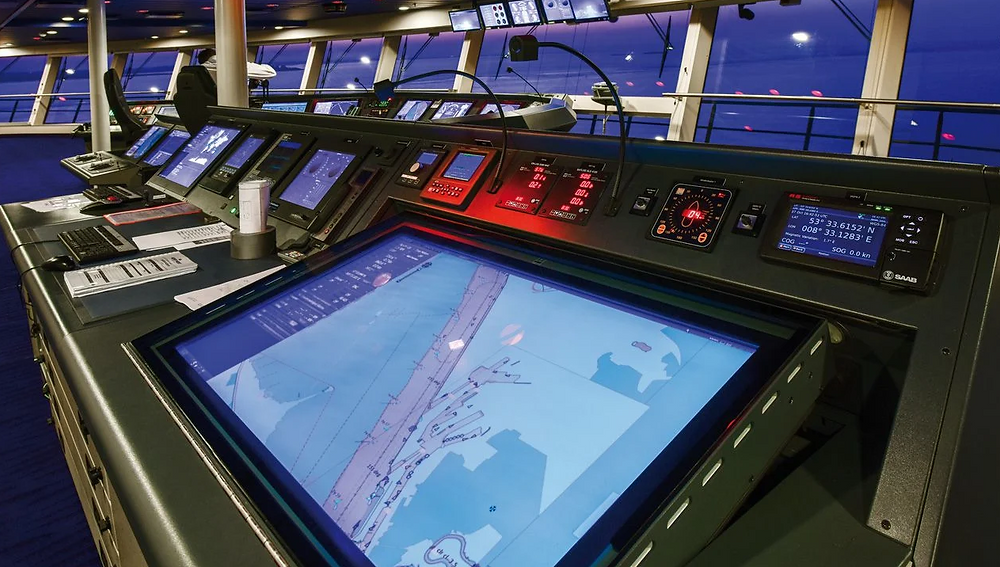
Discover the most common ECDIS errors and how to fix them. Learn practical solutions, real-world lessons, and compliance tips for safer navigation.
A grounded ship rarely begins its story with a dramatic crash. More often, it starts quietly with a small decision on the bridge: a safety contour left at a default value, a chart update skipped during a busy port stay, or an alarm silenced because it sounded “too often.” On the screen, the route still looks safe. The ship moves forward with confidence. Yet beneath the digital sea lies a mistake waiting to surface.
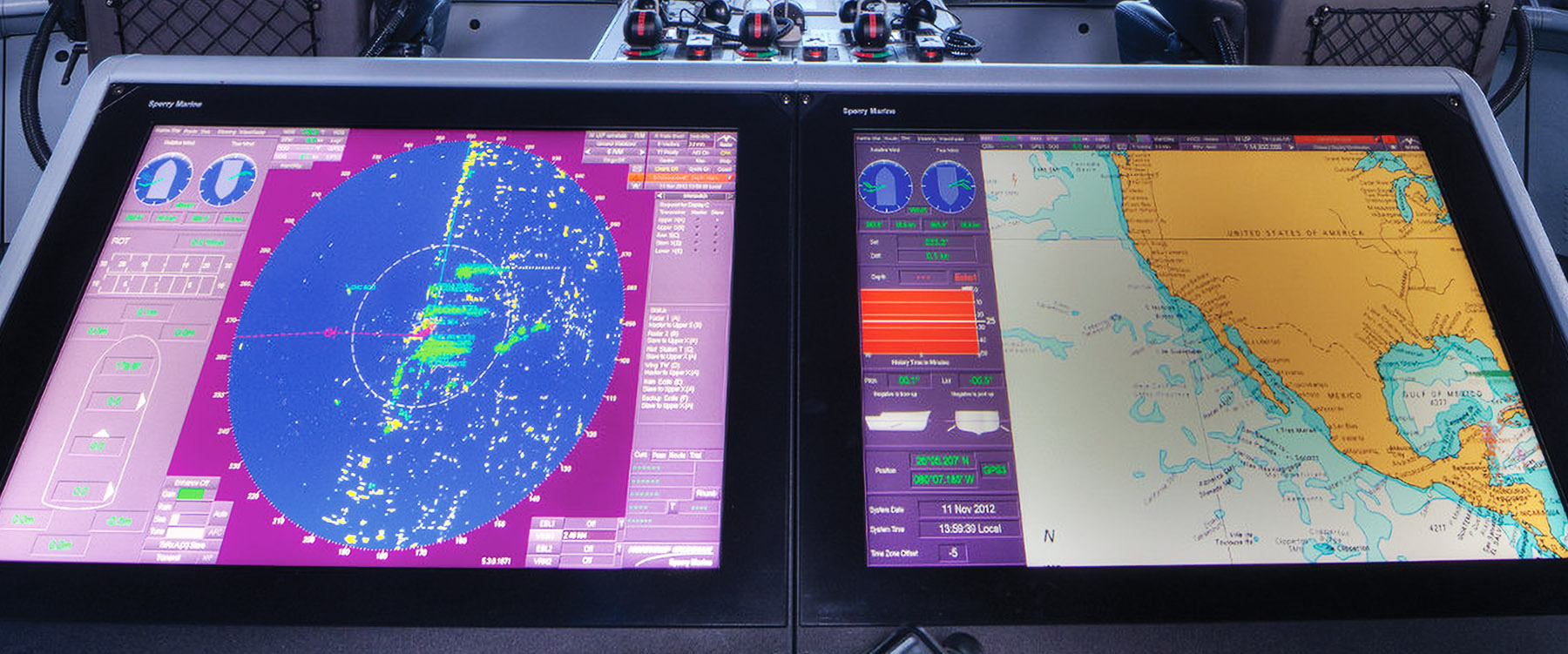
The Electronic Chart Display and Information System (ECDIS) is now the heart of modern navigation. It integrates charts, sensors, and alarms into one powerful interface. However, accident investigations repeatedly show that many casualties are not caused by technical failure but by human-system interaction errors. In simple words, people do not always use ECDIS correctly.
This article explains the common ECDIS errors and how to fix them in professional but humanised language. It draws on real-world cases, regulatory guidance, and bridge team experience to help navigators, cadets, and maritime educators improve safety at sea.
Why This Topic Matters for Maritime Operations
Navigation errors remain a leading cause of groundings and collisions. Reports by the International Maritime Organization and national investigation bodies show that ECDIS-related mistakes appear frequently in casualty analyses. Authorities such as the Marine Accident Investigation Branch and the European Maritime Safety Agency have published guidance warning that ECDIS can create a false sense of security when settings are wrong or operators are poorly trained.
For shipowners, this issue is not only about safety. It is also about compliance, insurance risk, and reputation. For seafarers, it is about professional pride and returning home safely. In that sense, understanding ECDIS errors is not just technical knowledge. It is operational survival.
Key Developments, Technologies, and Core Principles
From Paper Charts to Digital Navigation
Before ECDIS, navigators relied on paper charts, dividers, and parallel rulers. Route planning required time and physical effort. This process forced navigators to look closely at hazards, depth contours, and coastal features. With ECDIS, a route can be drawn in seconds. This efficiency is a gift, but also a trap. Speed can reduce reflection.
Modern ECDIS integrates:
-
GNSS (GPS) position
-
Gyro heading
-
Radar overlays
-
AIS targets
-
ENC data layers
The principle behind ECDIS is integration. The danger is assumption. When everything appears on one screen, users may assume everything is correct.
Human-Centered Navigation
The IMO and training bodies emphasise that ECDIS must be used with situational awareness. This means the navigator should always understand:
-
What the system is showing
-
Why it is showing it
-
What it might not be showing
An analogy is flying with an autopilot. The aircraft flies smoothly, but the pilot must still know where the mountains are. ECDIS is similar. It draws the map, but humans decide the path.
Type-Specific and Generic Training
Different ECDIS manufacturers use different menus, symbols, and alarm logic. A navigator trained on one brand may struggle with another. Industry organisations such as the International Chamber of Shipping and the International Association of Classification Societies stress the need for both generic and type-specific ECDIS training under the STCW Convention.
Without proper training, even a well-designed system becomes dangerous.

Common ECDIS Errors and How to Fix Them
Incorrect Safety Contour Setting
One of the most frequent ECDIS errors is setting the safety contour too shallow. Many systems default to values such as 10 metres. If a ship’s required safe depth is 13 metres, the ECDIS will treat dangerous water as safe.
This error often appears in grounding cases. Investigators repeatedly find that no alarm was triggered because the system was told that shallow water was acceptable.
How to fix it:
The safety contour must be calculated, not guessed. It should include:
-
Ship’s draught
-
Squat at planned speed
-
Allowance for waves
-
Company UKC policy
Once calculated, the value should be entered and cross-checked during route planning and before entering shallow waters.
Over-Reliance on the Route Check Function
ECDIS route checking tools scan the planned track against chart data and highlight dangers. Many navigators trust this function completely. However, the route check can only detect what exists in the ENC database. If the chart is old or the area is poorly surveyed, dangers may not appear.
This is similar to using spellcheck in a document. It catches many mistakes, but not all of them.
How to fix it:
Route checking should be combined with manual review. The navigator should:
-
Zoom along the entire route
-
Inspect critical points visually
-
Compare with sailing directions and pilot books
ECDIS is a calculator, not a conscience. Humans must add judgment.
Outdated or Missing Chart Updates
Another common error is navigating with outdated ENCs. Weekly updates are issued by hydrographic offices, but busy schedules, poor procedures, or weak supervision sometimes cause delays. An outdated chart may miss new wrecks, changed buoyage, or updated depths.
Several accident reports show that navigators assumed charts were updated because “the system did not warn them.” In reality, no update was loaded.
How to fix it:
ENC updating must be treated as a safety-critical task, not clerical work. Best practice includes:
-
Weekly update routines
-
Verification of update status
-
Logging and cross-checking
Some companies link updating to the Safety Management System so that failure becomes a non-conformity, not a small oversight.
Excessive or Poorly Managed Alarms
ECDIS alarms are designed to warn about danger. However, many bridges suffer from “alarm fatigue.” When alarms sound too often for minor issues, officers begin to ignore them. This behaviour has been observed in aviation and medicine as well.
In navigation, this means that when a real danger alarm sounds, it may be treated like background noise.
How to fix it:
Alarms should be adjusted to the navigation context. In open sea, fewer alarms are needed. In confined waters, safety alarms should be active and meaningful. Bridge teams should understand:
-
Which alarms are safety-critical
-
Which are advisory
-
How to acknowledge and investigate them
This approach turns alarms into guidance, not irritation.
Misinterpretation of Chart Symbols and Layers
ECDIS displays information in layers: depths, wrecks, buoys, boundaries, and more. If key layers are turned off, hazards may disappear from the screen. Some navigators hide layers to reduce clutter and forget to turn them back on.
In one reported case, isolated dangers were hidden because the “danger” layer was disabled. The route looked clear, but the seabed was not.
How to fix it:
Layer management should follow a standard profile:
-
Full detail during planning
-
Simplified view during monitoring
-
Mandatory layers always visible
Think of this like adjusting glasses. You can change focus, but you must still see obstacles.
Poor Understanding of ENC Data Quality (CATZOC)
ENCs include a Category Zone of Confidence (CATZOC) rating. This shows how reliable the survey data is. Many navigators do not check this information and assume all depths are equally accurate.
In reality, some areas are based on 19th-century lead-line surveys. This is like trusting an old road map for modern traffic.
How to fix it:
CATZOC should be reviewed during route planning. In low-confidence areas:
-
Increase safety margins
-
Reduce speed
-
Consider alternative routes
ECDIS can show data quality, but only if the user knows where to look.
Inconsistent Use Between Bridge Team Members
Another frequent error is inconsistency. One officer sets safety values one way. The next officer changes them. The master assumes everything is correct. Over time, the system becomes unpredictable.
This is not a technical problem. It is a teamwork problem.
How to fix it:
ECDIS settings should be standardized:
-
Defined in bridge procedures
-
Agreed by the master
-
Logged when changed
Consistency builds trust between humans and machines.
Challenges and Practical Solutions
A major challenge in correcting ECDIS errors is complacency. As systems become more reliable, humans become less alert. This is a known psychological effect called automation bias. People trust the machine even when they should question it.
Another challenge is training gaps. Many officers receive basic ECDIS certificates but little practice under realistic conditions. Simulator training, promoted by maritime academies and classification societies, helps bridge this gap by exposing officers to abnormal situations.
Classification societies such as DNV and Lloyd’s Register now include human-factor considerations in their navigation guidance. Flag administrations such as the United States Coast Guard and Australian Maritime Safety Authority also issue alerts highlighting typical ECDIS mistakes.
The practical solution is culture. When companies treat ECDIS as a professional skill, not just equipment, errors decrease. When they treat it as “just another screen,” errors multiply.
Case Studies and Real-World Applications
Grounding Due to Wrong Safety Contour
A bulk carrier grounded in a river channel while following its ECDIS route. Investigation showed that the safety contour was set at 8 metres, while the vessel required at least 11 metres. The ECDIS displayed shallow areas as safe. No alarm sounded. The bridge team believed the route was safe because the system showed no danger.
This case shows that ECDIS did exactly what it was told to do. The error was human.
Collision Avoidance Improved by Correct Layer Use
In contrast, a container ship transiting a congested strait used ECDIS with radar and AIS overlays correctly configured. Traffic separation schemes and shallow banks were clearly visible. The bridge team adjusted the route slightly offshore and reduced speed. No close-quarters situation developed.
Here, ECDIS supported good decisions because it was set up intelligently.
Future Outlook and Maritime Trends
ECDIS is evolving into part of fully integrated navigation systems. Future developments include:
-
Real-time depth corrections
-
Dynamic under-keel clearance
-
AI-assisted route optimization
However, experts from maritime universities and regulators agree that automation will not remove the need for human judgment. Instead, it will increase the need for system understanding.
Another trend is cybersecurity. As ECDIS becomes network-connected, the risk of data manipulation increases. Classification societies and the IMO now treat cyber risk as part of navigational safety.
In the future, the navigator’s role will resemble that of an aircraft systems manager: supervising complex tools while remaining responsible for the final decision.
FAQ Section
1. What is the most common ECDIS error?
Incorrect safety contour settings are among the most frequent and most dangerous mistakes.
2. Can ECDIS replace visual lookout?
No. ECDIS supports navigation but does not replace COLREG lookout requirements.
3. Why do alarms sometimes fail to warn of danger?
Often because safety settings are incorrect or chart data is outdated.
4. How often should ENC updates be installed?
At least weekly, using official hydrographic update services.
5. Is type-specific training really necessary?
Yes. Different ECDIS brands behave differently, and misunderstanding menus can cause serious errors.
6. What should I do if I doubt the chart data?
Increase safety margins, reduce speed, and use additional navigation methods such as radar and echo sounder.
Conclusion and Take-Away
ECDIS is one of the greatest safety tools ever placed on a ship’s bridge. Yet it is also one of the most misunderstood. Most ECDIS accidents do not come from broken hardware. They come from small human errors that slowly grow into big consequences.
By understanding the common ECDIS errors and how to fix them, navigators can turn a digital map into a true safety partner. Correct settings, disciplined updating, thoughtful alarm management, and continuous learning transform ECDIS from a screen into a shield.
Safe navigation is not about trusting technology blindly. It is about using technology wisely.
Soft Call-to-Action:
For cadets, officers, and maritime educators, regular ECDIS refresher training and real-case learning are the most effective ways to reduce risk. A well-used ECDIS protects ships, people, and the sea.
References (Selected)
-
International Maritime Organization. ECDIS Performance Standards and SOLAS Chapter V. https://www.imo.org
-
Marine Accident Investigation Branch. Bridge Watchkeeping Safety Studies. https://www.gov.uk/maib
-
European Maritime Safety Agency. ECDIS Guidance and Best Practice. https://www.emsa.europa.eu
-
International Chamber of Shipping. Bridge Procedures Guide. https://www.ics-shipping.org
-
International Association of Classification Societies. Navigation Safety and Human Factors. https://iacs.org.uk
-
United States Coast Guard. Navigation and ECDIS Safety Alerts. https://www.uscg.mil
-
Australian Maritime Safety Authority. ECDIS and Navigation Safety. https://www.amsa.gov.au
-
DNV. Integrated Navigation and Human-Centered Design. https://www.dnv.com
-
Lloyd’s Register. Digital Navigation and Risk Management. https://www.lr.org